Set up a professional business email address through Wix and Google Workspace. This guide covers dashboard steps, pricing, and inbox management.
Building a brand requires attention to detail. One of the most important steps in establishing credibility is using a custom, professional email address that matches your domain name. Instead of relying on generic providers, you can easily get a professional email address with Wix — and the entire process takes place inside your existing dashboard.
This simple upgrade signals to customers that you are a serious business owner. Whether you are running an online store, a service business, or a personal brand, a branded inbox makes a meaningful impression.
If you haven't started your site yet, you can try Wix for free to get your digital presence off the ground before setting up email.
Why a Branded Email Address Matters
Using a professional email address delivers several clear advantages. Most importantly, it builds trust with potential clients. When someone receives a message from info@yourbusiness.com rather than a generic public address, they immediately know who is contacting them and that the business is established.
Beyond trust, a branded address reinforces your identity consistently — on your website, business cards, invoices, and any correspondence. It signals that you have invested in your brand and are not operating casually.
| Feature | Professional Email (Your Domain) | Personal Gmail |
|---|---|---|
| Branding | Matches your domain exactly | Generic, no brand connection |
| Trust Factor | High — looks established | Medium to low |
| Professionalism | Business-grade | Personal-grade |
| Interface | Google Workspace (Gmail-based) | Standard Gmail |
For broader context on building your Wix presence, the Wix Review 2026: Is It Still the Best Website Builder? covers what the platform offers at each tier.
Prerequisites Before You Begin
Before setting up your business email, confirm the following:
- You have a Wix account with a connected custom domain.
- You are on a Wix premium plan that supports business email features.
- You have decided on the prefix you want — for example, info@, contact@, support@, or your own name.
If your domain is already connected to your Wix site, no additional DNS configuration is required. The integration handles that automatically.
Step-by-Step: Setting Up Business Email in Wix
The process is straightforward and does not require technical expertise. Here is exactly how to do it:
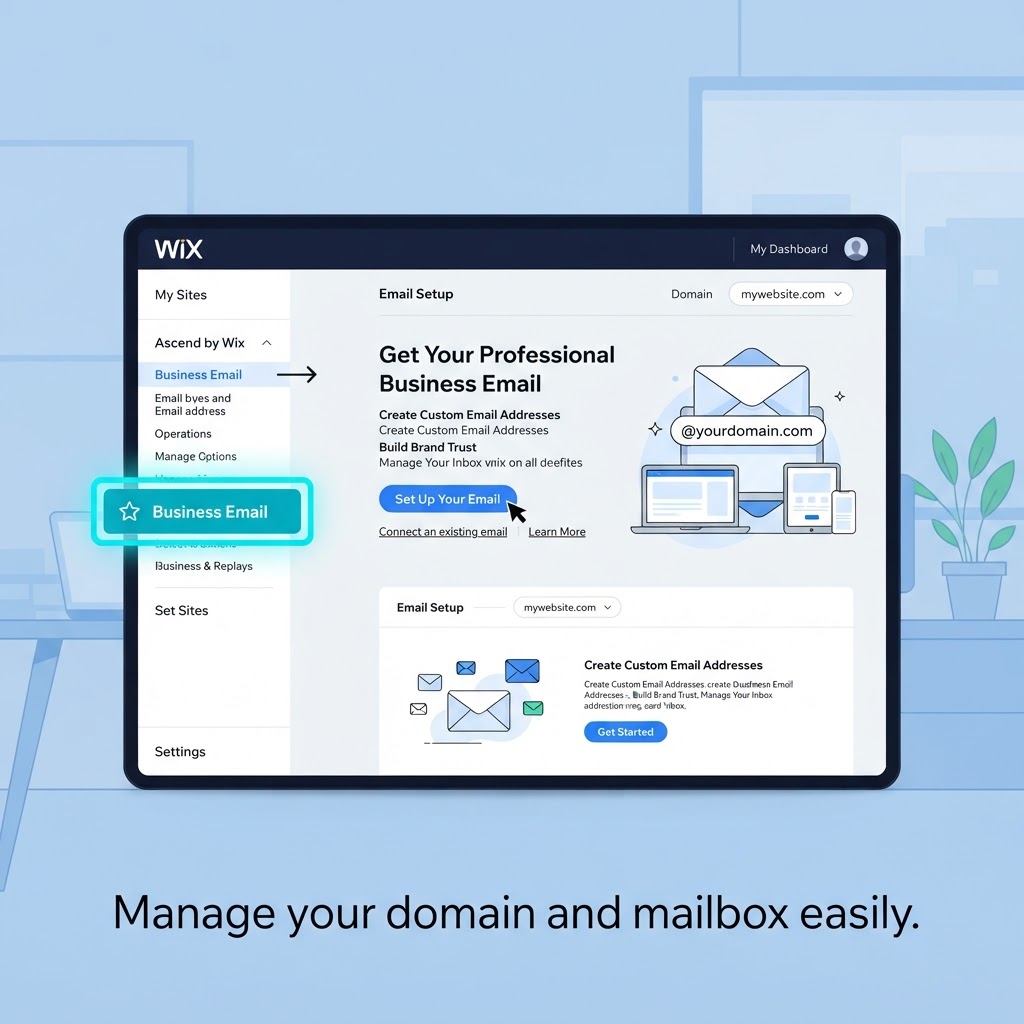
- Log in to your Wix dashboard.
- Click Settings in the left-hand sidebar.
- Select Business Email from the settings menu.
- Choose your preferred email prefix. Common options include info@, contact@, support@, or your own name — for example, yourname@yourdomain.com.
- If you manage multiple Wix sites, confirm which domain you want to attach the address to.
- Select the number of email accounts you need. You can add accounts for employees or departments, but note that you are billed per email address, so plan accordingly.
- Proceed to the purchase screen and review the available plan.
- Complete payment. The yearly plan is the standard billing option.
Once payment is confirmed, the system connects everything automatically to your Wix account. You do not need to manually update DNS records or configure mail servers.
Google Workspace Integration
When you purchase a business email through Wix, you receive a Google Workspace account tied to your custom domain. In practice, this means you get a Gmail-based inbox — with your own domain address instead of @gmail.com.
The interface is identical to standard Gmail, so there is no learning curve. You also get access to the full Google Workspace suite: Google Calendar, Google Drive, Google Meet, and Google Docs, all connected to your business account.
The integration with Wix is automatic. After completing the purchase and following the activation prompts, your inbox is ready. There is no manual DNS setup required on your end.
This is a meaningful advantage over setting up Google Workspace independently, where you would need to verify domain ownership and configure MX records yourself.

Understanding the Pricing Structure
The business email is sold as a yearly subscription, and you pay per email address. Discounts are sometimes available at the time of purchase — the exact price and any promotions available to you will be shown on the checkout screen within your Wix dashboard. Always verify the current pricing directly in your account before purchasing, as offers can vary.
Key points to keep in mind:
- One account is sufficient for solo operators or small businesses with a single inbox.
- Multiple accounts are available for teams with employees or departments, but each seat adds to the annual cost.
- Plan your number of accounts before purchasing to avoid unnecessary spend.
Managing Your Business Inbox
Once your Google Workspace account is active, day-to-day management happens through Gmail. A few practical recommendations:
- Update your website contact details to reflect your new email address as soon as the inbox is live.
- Set up recovery options within your Google Workspace account settings to prevent lockout.
- Use labels and filters in Gmail to organise incoming enquiries, orders, or support requests from day one.
- If you add employees later, each new account goes through the same Wix dashboard flow under Business Email settings.
For related Wix workflow topics, the guide on Mastering Wix Email Automation for Better Customer Engagement is a useful next step once your inbox is running.
If you also want to ensure your site looks polished across all devices, the How to Edit Your Wix Website for Mobile: A Responsive Design Guide covers that process in detail.
Final Recommendation
Setting up a professional email address with Wix is one of the quickest, most cost-effective steps you can take to strengthen your brand credibility. The process requires no technical expertise, the Google Workspace integration means you are working in a familiar Gmail environment, and the whole setup takes only a few minutes from your dashboard.
If you have a Wix site and a connected domain, there is no practical reason to keep using a generic email address. The per-seat pricing model makes it affordable for solo operators and scalable for small teams.
Try Wix for free and get your professional email address set up today.
● FAQ