● Prompts


Tools You Need:

Download the Ultimate Prompt Pack

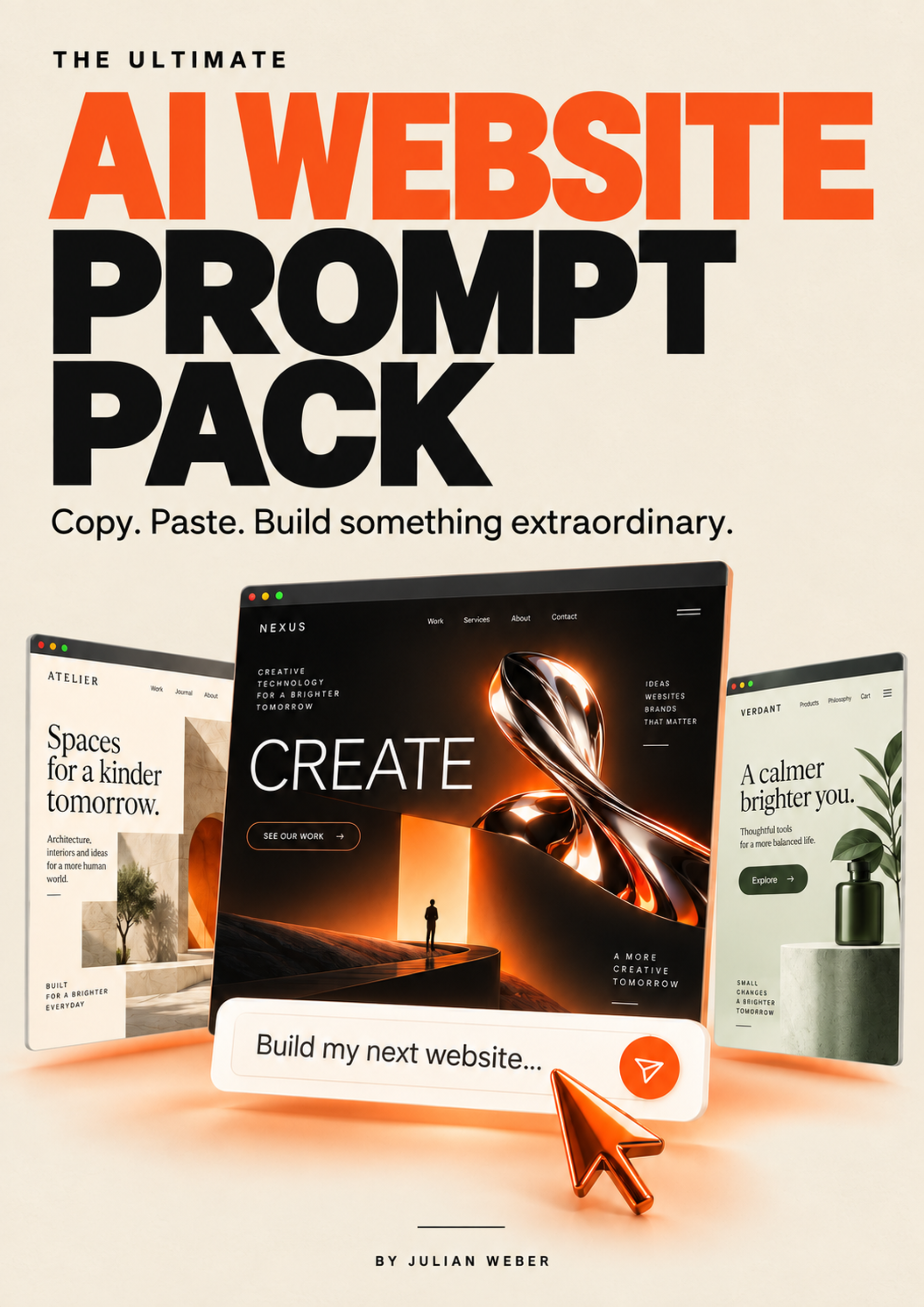
The Ultimate AI Website Prompt Pack cover

Get 10 ready-to-use AI website prompts for restaurants, cafés, consultants, holiday homes, portfolios, and more.

Your email will be saved so I can send you relevant AI website resources. No spam.

Holiday Home

Two prompts: create your cinematic Alpine video with Higgsfield, then build your scroll-driven chalet website with Base44.

Video prompt for Higgsfield

Use Higgsfield to create a photorealistic, cinematic video for a scroll-controlled website hero.

REFERENCE IMAGES

* Image 1: Alpine panorama — use as the starting frame.
* Image 2: Chalet exterior — use as the ending frame, preserving its architecture, surroundings, and perspective.

Assign the images to the model’s actual starting-frame and ending-frame inputs where supported.

FORMAT
12 seconds, 16:9 landscape, 2K resolution, no audio. One continuous, perfectly stabilized aerial shot. If these settings are unavailable, explain the supported alternative before generating.

CAMERA JOURNEY
0–4 seconds: Begin on the Alpine panorama and glide forward above mountain peaks and clouds. Two small, distant birds cross from right to left.

4–7 seconds: Gradually descend into the cloud layer. Realistic mist passes around the camera, temporarily obscuring the landscape. Physically travel through the clouds; no cuts, dissolves, or artificial transitions.

7–9 seconds: Emerge into a peaceful Alpine valley and reveal the reference chalet ahead. Approach smoothly, with warm window light contrasting against the cooler landscape.

9–12 seconds: Gently decelerate into the chalet reference composition and finish with a brief, stable view. Do not orbit, pass the chalet, or fly inside.

VISUAL QUALITY
Natural textures, realistic clouds, believable geography, consistent architecture, and restrained cinematic grading. Preserve the reference lighting, transitioning gradually through the clouds if necessary.

Use physical camera movement with realistic parallax, not digital zoom. Keep the chalet near the center for mobile cropping.

The motion must remain smooth when scrubbed forward or backward by scrolling. No sudden acceleration, camera shake, excessive motion blur, architectural morphing, visible drone parts, text, logos, or watermarks.

WEB-OPTIMIZED DELIVERY — REQUIRED
Deliver a compressed, web-optimized MP4 suitable for a full-screen website hero. It must load efficiently while retaining crisp mountain and chalet detail, smooth movement, and clean cloud gradients.

After generation, use available conversion tools to encode H.264 MP4 with a compatible yuv420p pixel format, fast-start metadata, and no audio track. Aim for approximately 5–10 MB for the 12-second web version, allowing a larger file if needed to avoid visible compression artifacts. Keep 2K where practical; use a clearly labeled 1080p web version if it offers a better quality-to-size balance.

Compression is a post-production step, not just an instruction to the video model. If conversion tools are unavailable, say so clearly.

Provide both the original generated video and the compressed web-ready MP4 as downloadable files. Review the result and report visible deviations honestly.

Website prompt for Base44

Build a complete, cinematic luxury website for “Alpine Chalet,” a fictional private chalet in the Swiss Alps. The experience should feel calm, elegant, and immersive, with a 3D aesthetic created through cinematic footage and subtle layered motion.

ATTACHED MEDIA
Use the finished hero video and the attached chalet photos to create the website. The video is already generated; do not create a new one or invoke Higgsfield.

Use the living room, sauna, kitchen, and bedroom photos in their corresponding sections. Use any attached exterior image where appropriate. Do not substitute stock images or invent amenities. Ask specifically for any essential missing file.

TECHNICAL REQUIREMENTS
Use static HTML, CSS, and vanilla JavaScript only. No React, frameworks, database, or required build step. Use local assets and relative paths.

The finished website must be responsive and work on ordinary static hosting and when index.html is opened directly. All visible copy must be in English.

SCROLL-CONTROLLED HERO
Create a full-screen hero pinned for approximately four to five viewport heights:

* Scroll down to advance the video journey.
* Scroll up to reverse it.
* Stop scrolling to hold the current frame.
* No autoplay, looping, or scroll hijacking.

Prefer a canvas image sequence extracted from the entire attached video. Provide optimized desktop and mobile versions, load only the appropriate version, show a poster immediately, and progressively preload frames with limited memory usage. Keep the last loaded frame visible during loading.

Inspect the actual video and synchronize these editable HTML overlays with its scenes:

* Mountains: “Leave everyday life behind.”
* Clouds: “Find your moment of calm.”
* Chalet: “Alpine Chalet — Your private retreat in the Alps.”

At the chalet reveal, show a “Book your stay” button. Transition smoothly from the final frame into the remaining page.

Preserve image proportions and keep the chalet visible on mobile. For reduced motion, show the final chalet still and remove the extended scroll distance. If image sequences fail, try scroll-controlled MP4 seeking, then fall back to the chalet still.

DESIGN AND CONTENT
Use warm cream, charcoal, deep forest accents, and natural wood tones. Pair large Baskerville or Georgia headings with Arial or Helvetica body text.

Create generous spacing, large photography, fine dividing lines, and subtle reveals. Alternate image and text layouts across:

1. The Chalet — living room photo and welcoming introduction.
2. The Sauna — warmth and relaxation.
3. The Kitchen — leisurely mornings and shared meals.
4. The Bedroom — comfort and restful nights.

Write short, inviting copy based on the supplied images. Do not invent prices, guest capacity, reviews, awards, or amenities.

BOOKING
External booking URL: [BOOKING-URL]

All “Book your stay” buttons must link directly to this URL, stored in one easily editable location.

Finish with a spacious booking section:
“Your escape begins here.”
“A quieter pace. A place to unwind. Plan your stay at Alpine Chalet.”
Button: “Book your stay.”

No contact forms, date pickers, guest selectors, or embedded booking widgets.

If no real URL is supplied, show “Booking link coming soon” as an unavailable state.

NAVIGATION AND FOOTER
Navigation: Chalet, Amenities, Book. “Book” scrolls to the final booking section.

Include a footer with the website name, supplied contact details, a back-to-top link, and working links to local Legal Notice and Privacy Policy pages. Clearly label incomplete legal content as placeholders. Do not invent business details.

Use accessible contrast, keyboard navigation, visible focus states, and meaningful image alt text. Avoid tracking and unnecessary external services.

DELIVERY
Test scrolling in both directions, overlay timing, mobile layouts, local opening, booking links, reduced motion, and loading fallbacks. Report any checks you could not perform.

Deliver a complete downloadable ZIP with index.html at its root, editable HTML/CSS/JavaScript, all required media, and a short README explaining local opening, changing the booking URL, and uploading to static hosting.

Provide the finished website files, not just snippets or a plan.

Restaurant Website

Two prompts: create your food commercial with Higgsfield, then build your scroll-controlled restaurant website with Base44.

Video prompt for Higgsfield

Use Higgsfield to create a premium, photorealistic food commercial for “Mustafas Bio Kebab,” designed for a scroll-controlled website hero.

REFERENCES

* Image 1 defines the finished kebab: sesame bread, filling, wrapping, textures, lighting, and shop atmosphere.
* Image 2 defines the exact owner: face, hair, beard, clothing, and final serving composition.

These are visual references, not mandatory starting frames. Begin with completely empty bread.

FORMAT
Approximately 15 seconds, 1920 × 1080, 16:9, no audio, text, logos, or watermarks. Use an available model with strong reference consistency and realistic food motion.

SEQUENCE

0–3 seconds:
Close-up of completely empty, freshly toasted sesame bread, held steadily from below in one hand and partly wrapped in cream paper. Golden crust, soft interior, subtle steam, warmly lit shop softly blurred behind it. Slowly move the camera closer.

3–7 seconds:
Keep the same bread and hand stable. Add ingredients sequentially from above: thin roasted meat slices, green lettuce, shredded red cabbage, tomato slices, then thin red onion rings.

Use realistic gravity and controlled motion. Ingredients accumulate inside the bread; nothing floats, passes through it, or flies back out. Match the finished kebab to image 1.

7–10 seconds:
Drizzle creamy white tzatziki over the filling. Move directly toward a white patch of sauce, showing its texture before gradually defocusing into a completely uniform warm-white frame.

10–15 seconds:
Conceal a cut within that fully white frame. Begin the next shot with the identical warm-white image, then pull back briskly from a very brief, soft-focus close-up of the smiling owner’s front teeth.

Immediately reveal his friendly face, upper body, and counter. No view inside the mouth or exaggerated tooth detail. He looks into the camera and offers the finished kebab toward the viewer. Settle into a calm final composition matching image 2.

TRANSITION — ESSENTIAL
The sauce must never morph into teeth or any body part. Connect two separate shots through matching, completely warm-white frames. No visible cut, dissolve, or transformation.

Create coordinated clips and assemble them if needed. Preserve continuity within the food-preparation shot and match the finished kebab, wrapping, shop, and lighting across the transition.

VISUAL QUALITY
Warm photographic lighting, natural skin tones, realistic food textures, anatomically stable hands, and consistent owner identity. No cartoon styling, distorted faces, changing ingredients, or unstable objects.

Keep the bread and face centrally framed for mobile cropping. Use smooth camera movement suitable for forward and reverse scroll scrubbing, with no abrupt changes except the intentional brisk pullback.

WEB-OPTIMIZED DELIVERY
Provide the original video and a compressed, web-ready H.264 MP4 at 1080p, with fast-start metadata, a compatible yuv420p pixel format, no audio track, and frequent keyframes for responsive seeking.

Aim for approximately 15–20 MB or less while preserving appetizing detail and avoiding compression artifacts. Perform compression after generation using available tools; do not merely include it in the generation prompt.

Review the white transition, owner identity, ingredient motion, and final serving shot. Report any visible deviations or unavailable processing steps honestly.

Website prompt for Base44

Build a responsive, cinematic website for “Mustafas Bio Kebab.” Create appetite and guide visitors toward the menu and physical shop.

ATTACHED MEDIA
Use the attached finished hero video and reference images to build the website. The video was created separately; do not generate another one or invoke Higgsfield.

Image 1 shows the kebab and defines the food styling and atmosphere. Image 2 shows the owner and must be used in his introduction section. Use any additional supplied shop photos.

All visible website copy must be in German.

DESIGN
Modern, premium, and photographic: warm cream, dark charcoal, strong orange accents, bold headlines, generous imagery, and a compact layout.

The header must remain transparent throughout the entire pinned hero sequence, including the final held frame. Change it smoothly to cream with dark text only when the hero releases and normal content begins. Reverse this behavior when scrolling back.

SCROLL-CONTROLLED HERO
Use a full-screen pinned hero spanning approximately four to five viewport heights.

Map scroll position directly to the attached video:

* Down scroll advances; up scroll reverses.
* Stopping holds the current frame.
* No autoplay, looping, or scroll hijacking.

Inspect the actual footage and synchronize editable HTML overlays with its scenes:

1. Empty bread:
   “Mustafas Bio Kebab. Dein nächster Lieblingsdöner.”
   Button: “Speisekarte entdecken” → menu.

2. Ingredients:
   “Schicht für Schicht. Einfach zum Reinbeißen.”

3. Sauce:
   “Und dann: Zaziki drauf.”

4. Owner serving:
   “Für dich gemacht. Mit einem Grinsen serviert.”
   Button: “Jetzt Hunger bekommen?” → menu.

Fade scene text out before the warm-white transition. During the fully white moment, hide text, buttons, and dark overlays so the transition remains clean.

Use efficient, paused video seeking after metadata loads; avoid overlapping seek requests. If necessary for smooth scrubbing, derive an optimized canvas image sequence from the attached video.

Show a poster immediately, preserve proportions, and keep the kebab and face visible on mobile. Avoid blank frames while loading.

For reduced motion or media failure, display a static kebab image with the main headline and menu button, remove the long pinned scroll distance, and use a readable static header.

PAGE CONTENT

Menu:
Cream background with Döner Kebab, Dürüm, vegetarische Option, and Dönerbox. Add short descriptions without inventing ingredients or quality claims. Show missing prices as editable “[Preis ergänzen]” placeholders.

Inside the shop:
Headline: “Hier wartet dein nächster Lieblingsdöner.”
Use a supplied shop photo. If none exists, use a clearly labeled, replaceable AI-generated example showing warm lighting, an open counter, fresh ingredients, a rotisserie, wood, and charcoal tones. If image generation is unavailable, provide a labeled placeholder.

The owner:
Use reference image 2.
Headline: “Mit einem Lächeln serviert.”
Write a short, friendly introduction without inventing history, awards, reviews, sourcing, or organic-certification claims.

Visit us:
Editable address, opening hours, phone number, directions link, and ordering link. Keep missing details visible as placeholders. Disable directions and ordering actions until valid links are supplied.

Footer:
Contact, Impressum, Datenschutz, and back-to-top. Legal links must lead to local pages or sections, with incomplete content clearly labeled as placeholders.

TECHNICAL REQUIREMENTS
Use static HTML, CSS, and vanilla JavaScript only. No React, database, PHP, framework, or required build step.

Deliver:

* index.html
* style.css
* app.js
* config.js
* fonts.css
* assets/ containing local images, video, and any font files.

Keep prices, contact details, links, and legal copy centrally editable in config.js. Use relative paths, local assets, and no external runtime dependencies.

Provide responsive layouts, semantic HTML, keyboard navigation, visible focus states, useful alt text, readable contrast, and prefers-reduced-motion support.

DELIVERY AND CHECKS
Provide a working local preview where supported, a short README, and an upload-ready ZIP for IONOS or another static host. Place the website files and assets directory directly at the ZIP root.

Verify header behavior in both scroll directions, paused scrubbing, overlay timing, mobile cropping, anchor links, local assets, reduced-motion fallback, absence of horizontal overflow, and successful ZIP extraction.

Fix issues and state which checks could not be performed. Deliver the complete website files, not just snippets or a plan.

Ecommerce Website

Two prompts: create your cinematic watch film with Higgsfield, then build your luxury product website with Base44.

Video prompt for Higgsfield

Use Higgsfield to create a cinematic luxury watch film for WEBER ATELIER, presenting NOCTURN Automatic.

Create exactly two coordinated clips, joined through a seamless white transition into one 12-second video:

* Clip 1: 8 seconds.
* Clip 2: 4 seconds.

Use 1920 × 1080, 16:9, no audio. Choose an available model with strong product-reference consistency. If the exact clip durations are unsupported, generate suitable source footage and edit the final sequence to 12 seconds.

PRODUCT REFERENCES
Use the two attached watch images as binding visual references:

* Front: emerald-green dial with horizontal texture.
* Rear: exhibition caseback and automatic movement.

Preserve the silver case, softly angular shape, broad brushed bezel, silver indices and hands, date showing “28,” JW lettering, AUTOMATIC text, and steel bracelet with brushed outer links and polished center links.

Keep the watch’s proportions, crown position, branding, and movement details consistent. Do not mirror the lettering or redesign the product.

CLIP 1 — 8 SECONDS

0–1.5 seconds:
Show the complete watch and bracelet directly from the front, centered against a near-black studio background with generous margins. The green dial is clearly visible. Begin a gentle camera push toward it.

1.5–5 seconds:
Separate the watch into a precise, controlled exploded assembly. Lift the crystal, hands, and intact green dial into distinct layers, revealing a plausible automatic mechanical movement.

Include the winding rotor, mainspring barrel, gear train, escapement, balance wheel, bridges, jewels, and date mechanism. Base visible details on the rear reference. Keep component scale and relationships coherent. No batteries, electronics, quartz modules, random gears, or flying fragments.

5–7 seconds:
Continue moving through the separated layers toward one brushed-silver movement bridge. Its machining marks and reflections gradually fill the frame.

7–8 seconds:
The bridge gently tilts toward the light. A bright reflection expands until the entire frame becomes clean, uniform white. End on that white frame.

CLIP 2 — 4 SECONDS

0–0.4 seconds:
Begin on the identical white frame. Let the reflection recede to reveal an extreme close-up of the assembled watch’s steel bezel.

0.4–3.2 seconds:
Pull back smoothly, revealing the green dial, case, bracelet, and finally the watch worn naturally on an adult’s LEFT wrist, viewed from the wearer’s perspective.

Preserve correct anatomy, natural skin texture, a properly fitted bracelet, and readable, unmirrored branding. Use a neutral adult wearer unless a personal wrist reference is supplied. Soft daylight and a simple, bright background.

3.2–4 seconds:
Ease into a stable final wrist composition with the green dial clearly visible.

TRANSITION AND STYLE
Conceal the change from internal bridge to external bezel entirely within matching white frames. No visible morphing or abrupt cut.

Use realistic materials, long soft studio reflections, crisp brushed steel, polished highlights, and a rich green dial. Move from a dark studio to a bright wrist shot.

Keep essential details centrally framed for mobile cropping. Motion must scrub smoothly forward and backward. No camera shake, excessive motion blur, text overlays, added logos, or watermarks. Preserve existing branding on the watch.

WEB-OPTIMIZED DELIVERY
Deliver the original clips and the assembled 12-second film, plus a compressed web-ready MP4.

Encode the web version as H.264, 1080p, yuv420p, with fast-start metadata, frequent keyframes for responsive seeking, and no audio track. Aim for approximately 10–15 MB or less while preserving dial detail, metal textures, and smooth gradients.

Perform compression after generation using available tools. If editing or conversion is unavailable, state that clearly.

Review product consistency, the mechanical reveal, white transition, and left-wrist ending. Report visible deviations honestly.

Website prompt for Base44

Build a cinematic luxury website for WEBER ATELIER, a fictional watch brand by Julian Weber, presenting NOCTURN Automatic.

ATTACHED MEDIA
Use the attached finished 12-second hero video and both watch reference images to create the website. The video is already generated; do not create another one or invoke Higgsfield.

The journey is:
Front-facing green dial → exploded automatic movement → metal close-up → white reflection → assembled watch on a left wrist.

Use the supplied images and extracted video frames for supporting product sections. Preserve the watch’s design and physical JW branding. All website copy must be in English.

TECHNICAL REQUIREMENTS
Use plain HTML, CSS, and vanilla JavaScript. No React, JSX, TypeScript, frameworks, package installation, or build system.

Write real semantic content inside index.html. Deliver a complete static website with local assets and relative paths, ready for IONOS, Hostinger, or another static host.

VISUAL DIRECTION
Near-black and deep forest-green backgrounds, brushed-silver highlights, warm ivory typography, and restrained sage accents.

Combine oversized editorial serif headings with a minimal sans serif. Keep copy short and give the watch generous space. Integrate the hero directly into the page without player controls, borders, or letterboxing.

SCROLL-CONTROLLED HERO
Create one pinned, full-screen stage spanning approximately four to five viewport heights.

Immediately show the front-facing watch and green dial using an HTML poster image:

* Wordmark: “WEBER ATELIER”
* Oversized headline: “NOCTURN”
* Supporting line: “A signature in green.”

Place the headline behind the watch only if clean subject separation is possible.

Scrolling advances or reverses the journey. Stopping holds the current frame. No autoplay, looping, or scroll hijacking.

Extract an optimized image sequence from the entire attached video and render it on a canvas. Include the finished frames in the delivered project.

Load progressively, prioritize nearby frames, limit decoded memory, and keep the last loaded frame visible during loading. Use lighter assets and an appropriate canvas resolution on mobile.

Inspect the actual video to synchronize the sequence. The mechanical reveal occupies approximately two-thirds of the timeline and the wrist reveal one-third.

Fade opening typography before the watch separates. Keep the mechanism and white transition uncluttered, with no text or dark overlays during the fully white moment.

After the wrist reveal settles, display:
“Designed to move with you.”
Button: “Request an invitation” → invitation section.

Release the pinned stage smoothly into the page content. Preserve the dial, mechanism, and wrist composition on mobile without stretching the footage.

CONTENT BELOW THE HERO
Add a compact editorial product section using the attached images:

* The green dial.
* The steel case and bracelet.
* The automatic movement.

Write concise copy grounded in visible details. Do not invent specifications, pricing, certifications, water resistance, origin, or availability.

Follow with an elegant invitation section and accessible form.

INVITATION FORM
Include name and email fields, visible labels, suitable input types, keyboard support, validation, and clear feedback.

Form endpoint: [FORM-ENDPOINT]

If a real endpoint is supplied, connect it and show success only after a confirmed successful response.

If no endpoint is supplied, show “Invitation requests are not configured yet” and keep submission disabled. Do not simulate a successful request. Keep the endpoint easy to edit.

ACCESSIBILITY AND FALLBACKS
Support keyboard navigation, visible focus states, readable contrast, and useful image alt text.

For prefers-reduced-motion, use product stills in a shorter, unpinned layout. Essential content must remain readable without JavaScript.

If the frame sequence fails, show an attractive product still with a working link to the invitation section.

DELIVERY
Provide a downloadable ZIP containing:

* index.html at the root.
* css/styles.css.
* js/main.js.
* Local images, extracted frames, web-optimized video, and any font files.
* README.txt covering preview, hosting upload, and form configuration.

Keep full-quality production source videos outside the hosting ZIP. Include all required assets locally, with no temporary URLs or external runtime dependencies.

Also provide index.html separately, explaining that its supporting folders are required.

Preview the delivered folder and verify forward/reverse scrolling, overlay timing, white transition, responsive layouts, form behavior, reduced-motion and JavaScript-disabled fallbacks, relative paths, and ZIP extraction.

Fix issues and identify any checks you could not perform. Deliver complete website files, not just snippets or an implementation plan.

Photographer Website

Two prompts: create your cinematic portfolio film with Higgsfield, then build your scroll-driven photographer website with Base44.

Video prompt for Higgsfield

Use Higgsfield to create a cinematic photographer portfolio hero film for Julian Weber, a portrait, fashion, and editorial photographer.

Create exactly two coordinated clips, joined through a seamless warm-ivory transition into one 12-second video:

* Clip 1: 7 seconds.
* Clip 2: 5 seconds.

Use 1920 × 1080, 16:9, no audio. Choose an available model with strong portrait and fashion consistency. If the exact clip durations are unsupported, generate suitable source footage and edit the final sequence to 12 seconds.

VISUAL DIRECTION
Warm terracotta and burnt-orange tones balanced with warm ivory, charcoal, and occasional muted olive accents. Cinematic, editorial, minimal. Soft natural light with deep, considered shadows. The mood should feel like an art-directed photography exhibition.

Suggested palette:
* Warm ivory: #F5F0E8
* Charcoal: #1B1917
* Terracotta: #BD633B
* Muted olive: #68694D

CLIP 1 — 7 SECONDS

0–1.5 seconds:
Open on a photographer holding a professional camera in a warm ivory studio. He is centered, calm, and confident. The terracotta tones of the background complement his presence. Begin a slow, gentle camera push toward him.

1.5–4 seconds:
Transition smoothly to a series of portrait subjects — expressive faces emerging from soft charcoal and ivory light. Show a mix of fashion and editorial poses: a model in warm terracotta tones, a beauty close-up, a fashion silhouette. Each face holds for a beat. Keep eyes and expressions visible and unobstructed.

4–6 seconds:
Continue through the portraits with a slow, controlled camera movement. The lighting shifts subtly from warm ivory to deeper charcoal, revealing mood and character. Faces remain the focus.

6–7 seconds:
The camera approaches a warm ivory surface. The frame fills gradually with soft, uniform warm ivory light. End on that ivory frame.

CLIP 2 — 5 SECONDS

0–0.5 seconds:
Begin on the identical warm ivory frame. Let the light recede to reveal the photographer again, now holding his camera up, framed from a slightly different angle.

0.5–3.5 seconds:
Pull back smoothly, revealing the studio environment — warm terracotta backdrop, soft natural light, and the photographer lowering his camera. A final portrait subject appears briefly in the background, then the composition settles on the photographer in a calm, confident stance.

3.5–5 seconds:
Ease into a stable final composition with the photographer centered, camera visible, warm terracotta and ivory tones throughout. The frame feels like the cover of an editorial magazine.

TRANSITION AND STYLE
Conceal the change from the portrait sequence to the studio reveal entirely within matching warm ivory frames. No visible morphing or abrupt cut.

Use realistic skin textures, natural light, considered composition, and editorial restraint. Move from intimate portraits to a confident studio portrait of the photographer. Keep faces, eyes, and the camera lens unobstructed throughout.

Keep essential subjects centrally framed for mobile cropping. Motion must scrub smoothly forward and backward. No camera shake, excessive motion blur, text overlays, added logos, or watermarks.

WEB-OPTIMIZED DELIVERY
Deliver the original clips and the assembled 12-second film, plus a compressed web-ready MP4.

Encode the web version as H.264, 1080p, yuv420p, with fast-start metadata, frequent keyframes for responsive seeking, and no audio track. Aim for approximately 10–15 MB or less while preserving skin detail, fabric textures, and smooth gradients.

Perform compression after generation using available tools. If editing or conversion is unavailable, state that clearly.

Review portrait consistency, the ivory transition, the studio reveal, and the final composition. Report visible deviations honestly.

Website prompt for Base44

Build a complete, responsive photography portfolio website for Julian Weber, a photographer specializing in portraits, fashion, and editorial photography.

The website should feel like a beautifully art-directed photography exhibition: cinematic, confident, minimal, and memorable. Give it the visual quality of an award-winning creative portfolio, with distinctive typography, generous space, and exceptional image presentation.

All website text must be in English. Build the working website directly in Base44.

Use the following requirements:

1. CREATE A COHESIVE VISUAL IDENTITY FROM THE UPLOADED MEDIA

Use the warm terracotta and burnt-orange tones from the hero imagery, balanced with warm ivory, charcoal, and occasional muted olive accents.

Suggested palette:
* Warm ivory: #F5F0E8
* Charcoal: #1B1917
* Terracotta: #BD633B
* Muted olive: #68694D

Keep most portfolio sections ivory so the photography remains the focus. Use terracotta for selected backgrounds, small accents, and the final contact section.

Combine an elegant editorial serif with a clean contemporary sans-serif. Use oversized headlines, considered line breaks, small uppercase labels, and a consistent spacing system.

Avoid generic card grids, excessive rounded corners, heavy shadows, decorative gradients, and unnecessary interface elements. Make the design feel intentional through composition, typography, and photography.

2. BUILD A CINEMATIC HERO CONTROLLED BY SCROLLING

Use the uploaded finished hero video. Use its existing visual content and timing.

The video must respond to the visitor's scroll position:
* Scrolling down advances the video.
* Scrolling up reverses through the video.
* Stopping the scroll holds the corresponding frame.
* The video must not autoplay or loop independently inside the hero.

Create a pinned or sticky hero sequence. Keep the media visible while the visitor scrolls through the animation, then transition naturally into the portfolio below.

Use approximately three to four viewport heights for the desktop hero section and a shorter, carefully tuned distance on mobile. The interaction should feel responsive and fluid, with enough scroll distance to appreciate the sequence.

Display the first frame immediately using a matching poster image while the video loads. Initialize seeking only once the video metadata is available, and map the hero's scroll progress accurately to the video duration. Handle rapid scrolling, reverse scrolling, resizing, and returning to the hero without jumps or unwanted resets.

Use native page scrolling and efficient animation updates. Do not hijack the mouse wheel or interfere with touch gestures.

The opening composition should include:
* Small introduction: "JULIAN WEBER — PHOTOGRAPHER"
* Main headline: "A different point of view."
* Supporting text: "Portraits, fashion & stories in motion. Based in New York."
* A subtle "Scroll to explore" cue.

Position typography in the available negative space. Fade the large headline as the sequence begins so the video remains unobstructed. Keep important faces, eyes, and the camera lens visible throughout the transition.

The hero should connect elegantly to the next section without an abrupt blank area.

3. DESIGN THE MOBILE EXPERIENCE DELIBERATELY

The scroll animation must also work with normal finger scrolling on iPhone and Android.

Use a stable mobile viewport height so browser address-bar changes do not cause the sticky section to jump.

For the landscape hero video, create a deliberate mobile layout with an edge-to-edge widescreen video panel and typography arranged within the remaining screen space. Preserve the important subjects and transition focal points. Do not stretch the video or crop away faces to fill a portrait screen.

Configure the video for muted inline playback and test its seeking behavior on mobile browsers.

If smooth video seeking is unavailable or the visitor prefers reduced motion, provide a polished static hero with a clear "Play film" option. The complete website must remain accessible without the scroll effect.

Avoid oversized video downloads on mobile. Where necessary, use a web-optimized version that preserves the original imagery and timing.

4. ADD A REFINED NAVIGATION BAR

Place "JULIAN WEBER" as a typographic wordmark on the left.

Navigation:
* Work
* About
* Motion
* Contact

Include a "Book a shoot" action.

Start with transparent navigation over the hero. Transition to a compact ivory navigation bar when visitors reach the main content, with appropriate text contrast in both states.

On mobile, use a simple, accessible menu with comfortable tap targets. All navigation links must scroll to the correct sections.

5. CREATE AN EDITORIAL PHOTO AND VIDEO GALLERY BENEATH THE HERO

Introduce the portfolio with:
* Small label: "SELECTED WORK"
* Headline: "Images with presence."
* Short introduction: "A selection of portraits, fashion stories, and personal perspectives."

Use the uploaded model photographs as the primary gallery assets. Incorporate additional uploaded video clips as playable gallery items when available. Still images must remain photographs.

Create an asymmetric editorial layout with varied image sizes and natural aspect ratios. Mix portrait images with occasional wider compositions. Use generous space and subtle captions rather than placing everything inside identical cards.

Use these project titles where they match the uploaded photographs:
* Terracotta Study — Editorial
* After Hours — Beauty
* Natural Light — Portrait
* Soft Structure — Fashion
* City Uniform — Fashion
* Warm Presence — Portrait

Use three columns where appropriate on large screens, two on tablets, and a carefully spaced single column on small phones. Preserve faces and important details when creating previews.

Add restrained hover effects on desktop: a small image enlargement and a caption reveal. Keep captions accessible on touchscreens.

Clicking an image should open a high-quality lightbox with:
* The complete image
* A project title and category
* Previous and next controls
* Keyboard navigation and Escape to close
* Swipe navigation on mobile
* Correct focus handling and restored page position after closing

Video gallery items should have a visible play indicator and open with working playback controls. Do not autoplay sound.

6. INCLUDE A PERSONAL ABOUT SECTION

Use the uploaded photograph of Julian holding his camera as the portrait.

Create an editorial split layout with the photograph on one side and a short introduction on the other. Stack it gracefully on mobile.

Headline: "Behind the camera."

Body: "I'm Julian Weber, a photographer working across portraiture, fashion, and visual storytelling. I'm drawn to expressive faces, considered light, and the small details that give an image its character. From personal portraits to creative campaigns, every shoot starts with a conversation."

Add three understated service labels:
* Portrait Photography
* Fashion & Editorial
* Brand Stories

Include a "Let's talk about your shoot" link leading to the contact form.

Do not invent awards, client logos, testimonials, or professional achievements.

7. ADD A DEDICATED FILM SECTION

Create a wide cinematic section titled: "Stories in motion."

Supporting text: "A closer look at the mood, movement, and moments behind the images."

Use an additional uploaded film if one is available. If only the hero video is supplied, present that video here as a standalone "Studio Film" with normal playback controls.

Show an attractive poster frame and a clear play button. Start playback only when the visitor chooses to play it. Include pause, volume, and fullscreen controls.

The film should be comfortably viewable on mobile.

8. BUILD A WORKING CONTACT SECTION

Use a warm terracotta background with highly legible text and a confident headline: "Let's create something worth looking at."

Supporting text: "Tell me what you have in mind. A portrait session, an editorial story, or something entirely your own."

Include these form fields:
* Name — required
* Email — required
* Type of shoot — Portrait, Fashion / Editorial, Brand / Commercial, Other
* Preferred date — optional
* Tell me about your project — required

Submit button: "Send inquiry"

Make the form functional using Base44's supported database and backend capabilities. Save each inquiry with its submission time, validate required fields and email addresses, and provide clear loading, success, and error states.

Only show a success message after the inquiry has actually been saved. Keep inquiry records private and accessible only to the site owner.

Add basic spam protection. Enable email notifications only if a real destination and supported delivery integration have been configured.

Success message: "Thank you — your inquiry has been received."

Use this editable example studio information:
* Studio: Julian Weber Photography
* Location: SoHo, Manhattan, New York, NY 10012
* Email: hello@julianweber.example
* Phone: +1 (212) 555-0148
* Studio hours: Monday–Friday: 10:00 AM–6:00 PM, Saturday: By appointment, Sunday: Closed

Display hours in New York local time. Add: "Studio visits and shoots by appointment."

The email address is demonstration content; do not use it as the backend notification destination.

9. INTEGRATE GOOGLE MAPS

Embed an interactive Google Map centered on SoHo, Manhattan, beside or beneath the studio information.

Use the neighborhood location without inventing a verified Google business listing.

Include an "Open in Google Maps" link pointing to the same location. Give the embedded map an accessible title and keep the location readable as text.

Lazy-load the map. Ensure visitors can comfortably scroll past it on mobile without getting trapped in map gestures.

10. FINISH WITH CAREFUL MOTION, PERFORMANCE, AND ACCESSIBILITY

Use subtle section reveals, elegant link transitions, and restrained image motion. Keep the hero as the main animation.

Respect reduced-motion preferences. Provide visible keyboard focus, meaningful image descriptions, accessible form labels, and readable color contrast.

Load the hero media first. Lazy-load the gallery, supporting film, and map. Use appropriately sized images while preserving photographic detail.

Add a simple footer with the wordmark, navigation, studio location, and copyright. Do not add social icons with empty or invented destinations.

Set the page title to: "Julian Weber — Portrait & Fashion Photographer, New York"

Before finishing, verify the complete experience at desktop, tablet, and phone widths: forward and reverse hero scrolling, mobile touch behavior, navigation, gallery lightbox, video playback, form submission, and map loading.

Deliver the fully implemented website with polished English copy and the supplied media integrated throughout.

Smash Burger Restaurant

Two prompts: create your cinematic smash burger commercial with Higgsfield, then build your scroll-driven restaurant website with Base44.

Video prompt for Higgsfield

Use Higgsfield to create a photorealistic, cinematic smash burger commercial in 16:9 landscape format, with warm restaurant kitchen lighting, shallow depth of field, realistic food textures, and smooth camera movement.

Start with a low camera angle close to a hot griddle. A thick portion of raw ground beef sits in the center, with fat sizzling around its base and light steam rising. A heavy stainless-steel burger press descends from above and firmly compresses the meat into a thin smash patty. The meat spreads naturally under the pressure.

The visible top of the meat must remain raw during the smash. Do not show it cooked, browned, or seared on top while it is being pressed. Only the bottom in contact with the griddle should sizzle and brown.

Continue with smooth, continuous camera movement. After the smash, push the camera into the bright steam rising from the griddle. Let the steam fill the frame briefly, then clear to reveal the burger ingredients assembling layer by layer: toasted brioche bun, melted cheddar, pickles, onions, and burger sauce.

End on a finished burger resting on a plate, shot from a low appetizing angle with warm kitchen lighting and shallow depth of field.

Keep the motion smooth enough to scrub forward and backward without visible stutter. No camera shake, text overlays, added logos, or watermarks. Keep essential food action centrally framed for mobile cropping.

Deliver the original clips and a compressed web-ready MP4 encoded as H.264, 1080p, yuv420p, with fast-start metadata, frequent keyframes for responsive seeking, and no audio track. Aim for approximately 10–15 MB or less while preserving food textures, steam detail, and smooth gradients.

Website prompt for Base44

Build a complete, responsive, cinematic restaurant website for "SMASH HOUSE," a fictional smash burger restaurant. Make the food look irresistible and guide visitors toward the menu and visiting the restaurant.

Build directly in Base44 using its native project structure. Deliver a working website, not just a concept or wireframe.

All visible website copy must be in English.

Use the complete fictional example content below. Do not leave empty sections, bracketed placeholders, or "coming soon" messages. Keep all example content centrally editable.

ATTACHED MEDIA

I will upload:
- A finished burger hero video.
- A team photo showing six employees.
- A counter photo showing staff serving customers and preparing food.
- A dining area photo.
- An exterior photo.

Use these supplied assets throughout the website. The video was produced separately: do not generate another video or invoke Higgsfield.

Inspect the actual footage before setting animation timings. Use the team photo as the primary reference for brand colors, uniforms, materials, and atmosphere.

BRAND AND DESIGN

Restaurant name: SMASH HOUSE.

Create a contemporary burger restaurant website with a welcoming diner atmosphere.

Use predominantly white and warm off-white backgrounds with deep burgundy accents sampled from the team's aprons and restaurant branding.

Starting palette:
- Burgundy: #762B36
- Warm white: #FAF8F3
- White: #FFFFFF
- Dark text: #262222

Adjust the burgundy to match the supplied photography. Do not introduce orange, yellow, or bright-red interface accents.

Use bold, oversized headlines, clean body typography, generous photography, and deliberate spacing. Add subtle diner-inspired details such as thin burgundy rules and small uppercase labels.

Avoid generic card grids, excessive rounded containers, heavy shadows, and decorative gradients.

HEADER

Place the SMASH HOUSE wordmark on the left.

Navigation:
- Menu
- Our Place
- The Team
- Visit Us

Primary button: "Explore the Menu".

Include an accessible mobile menu.

Keep the header transparent throughout the entire pinned hero sequence, including the final held frame. Maintain readable navigation without a solid header background.

Only after the hero releases should the header transition to warm white with burgundy branding and dark navigation. Reverse this behavior when scrolling back into the hero.

SCROLL-CONTROLLED HERO

Use the uploaded video as a full-screen, edge-to-edge pinned hero without white margins or visible video controls.

The entire hero scroll section should span approximately four to five viewport heights. Keep the visual stage pinned while normal browser scrolling controls video progress.

Behavior:
- Scrolling down advances the video.
- Scrolling up reverses the video.
- Stopping scrolling holds the current frame.
- No autoplay, looping, or independent playback.
- No wheel or touch interception and no scroll hijacking.

The intended sequence is:
1. Raw meat on a hot griddle.
2. A metal press smashes the patty.
3. The camera pushes into bright steam.
4. The steam clears to reveal the burger ingredients assembling.
5. A finished burger rests on a plate.

Use the actual uploaded footage as the source of truth. Adapt timing to its real scenes.

Synchronize editable HTML overlays with the footage:

Opening:
"Big appetite. Great choice."
Supporting line: "Welcome to SMASH HOUSE."
Button: "Explore the Menu" → menu section.

Smash:
"This is how we smash."

Assembly:
"Your next favorite burger. Layer by layer."

Finished burger:
"Ready for the first bite?"
Button: "Show Me the Menu" → menu section.

Show only one text group at a time. Keep text away from the main food action. Use restrained fades.

Fade out hero text, buttons, and contrast overlays before the bright steam transition. Keep that moment clean. Restore the next overlay after the burger scene becomes visible.

Hold the final burger frame over the last portion of the scroll section before releasing into normal page content.

VIDEO PERFORMANCE

Wait for metadata before calculating playback time. Keep the video paused and seek efficiently using requestAnimationFrame, avoiding overlapping seek requests.

Use muted inline video behavior for mobile compatibility.

Display a poster immediately and retain it until the video has a drawable frame. Avoid blank or broken media areas.

If direct seeking is visibly choppy and preprocessing is supported, derive an optimized image sequence from the supplied video. Do not generate replacement footage.

Preserve proportions and keep essential food action visible on mobile. Adapt framing or layout when portrait cropping would lose important content.

For reduced motion or media failure:
- Display a supplied burger image or a frame extracted from the video.
- Show the main headline and menu button.
- Remove the long pinned scroll distance.
- Use a readable static header.

MENU SECTION

Headline: "Find Your Favorite."
Introduction: "Burgers, fries, and something to wash it all down."

Use the following complete sample menu. These are editable concept recipes and prices, not verified claims about a real business.

BURGERS

Classic Smash — $8.90
"A smashed beef patty, melted cheddar, pickles, onions, and house-style burger sauce on a toasted brioche bun."

Double Smash — $11.90
"Two smashed beef patties, double cheddar, pickles, onions, and burger sauce on a toasted brioche bun."

Smoky BBQ Smash — $10.90
"A smashed beef patty with cheddar, crispy bacon, onions, and smoky BBQ sauce on a toasted brioche bun."

Veggie Burger — $9.90
"A vegetable patty with lettuce, tomato, pickles, and burger sauce on a toasted bun."

SIDES

Fries — $3.90
"Golden fries with a sprinkle of salt."

Cheese Fries — $5.90
"Golden fries topped with warm cheese sauce and sliced spring onions."

DRINKS

Cola / Diet Cola — $2.90
"Classic refreshment. Served chilled."

Lemon Soda — $2.90
"Bright, bubbly, and refreshing."

Sparkling / Still Water — $2.50
"Keep it simple."

Present prices clearly. Do not add ordering buttons to every menu item or build an unnecessary cart.

Do not invent organic, sourcing, homemade, vegan, gluten-free, or allergen-free claims.

Use a static frame from the uploaded burger video as a large supporting image. Do not present the same image as several different menu products.

OUR PLACE

Headline:
"Your Spot for Burgers and Good Company."

Copy:
"Grab a booth, bring your friends, and make yourself comfortable. From the buzz behind the counter to the last fry on your tray, SMASH HOUSE is all about keeping things easy: good food, familiar faces, and a place you'll want to come back to."

Use the counter and dining area photographs in a generous editorial layout.

THE TEAM

Headline:
"Six People. One Big Appetite."

Copy:
"Meet the people behind the smash. At the grill, behind the counter, and out on the floor, we're here to make your visit a good one. Come hungry, say hello, and leave the burger business to us."

Use the supplied six-person portrait prominently.

Do not invent individual names, biographies, awards, founding dates, or customer testimonials.

VISIT US

Headline:
"See You at SMASH HOUSE."

Introduction:
"Lunch break, dinner plans, or a spontaneous burger stop. There's a seat waiting for you."

Use the supplied exterior image beside these fictional example details:

Address:
SMASH HOUSE
128 Brioche Lane
Austin, TX 78701
United States

Phone:
+1 (512) 555-0147

Email:
hello@smashhouse.example

Opening hours:
Monday–Thursday: 11:30 AM–10:00 PM
Friday–Saturday: 11:30 AM–11:00 PM
Sunday: 12:00 PM–9:00 PM

Service note:
"Dine in or take it to go."

Use the reserved example phone number and email exactly as written. They are demonstration details.

Primary action:
"View the Menu" → menu section.

Secondary action:
"Location Details" → an accessible local modal or section displaying the exterior image, full example address, and opening hours.

Within that location view, include:
"This is a fictional restaurant created for a website demo."

Do not link the fictional address to a real map listing. Do not initiate calls, send emails, or accept orders using the sample contact details.

FOOTER

Include:
- SMASH HOUSE wordmark.
- "Big appetite. Great choice."
- Main section navigation.
- Address and opening hours.
- Legal Notice.
- Privacy Policy.
- Back to Top.

Footer note:
"SMASH HOUSE is a fictional restaurant created for a website demo."

Do not add empty social icons or invented social accounts.

LEGAL NOTICE PAGE

Create a real local page titled "Legal Notice".

Use this example copy:

"SMASH HOUSE is a fictional restaurant concept created to demonstrate a restaurant website.

The business name, menu, prices, address, opening hours, phone number, and email address shown on this website are sample content. The website does not represent an operating restaurant and does not accept orders, reservations, or payments.

The restaurant scenes and team portraits are AI-generated illustrative images.

This page is demonstration content and must be replaced with the actual operator's required information before the website is used for a real business."

PRIVACY POLICY PAGE

Create a real local page titled "Privacy Policy".

Use this example copy:

"This website demonstrates a fictional restaurant concept. It does not include customer accounts, order forms, reservation forms, or payment processing.

Do not submit personal information through the demonstration contact details.

The hosting platform may process technical information when visitors access the website. Before using this website for a real business, the operator must review the actual hosting, cookies, analytics, and connected services and provide an accurate privacy notice.

This page is demonstration content and is not a complete privacy notice for a live restaurant business."

Do not add optional analytics, advertising trackers, or external map embeds.

IMPLEMENTATION

Use Base44's normal technical structure. A separate static HTML export or ZIP is not required.

Keep menu items, prices, business details, opening hours, legal copy, media references, and hero overlay timing centrally editable.

Use semantic HTML, responsive layouts, meaningful alt text, keyboard navigation, visible focus states, readable contrast, and reduced-motion support.

Ensure the mobile menu and location modal open, close, and manage focus correctly.

Inactive hero overlays must not remain clickable or keyboard-focusable.

Anchor links must reach their sections without being hidden behind the sticky header. Normal content must remain accessible independently of the animation.

Do not add customer accounts, a database, a shopping cart, or a payment system.

VERIFICATION

Check and fix:
- Forward and reverse scrubbing.
- A stable frame when scrolling stops.
- Overlay timing against the actual footage.
- A clean steam transition.
- Transparent header throughout the full hero.
- Correct header behavior in both scroll directions.
- Immediate poster display and reliable loading.
- Mobile framing and navigation.
- Working section links and location details.
- Reduced-motion and media-error fallbacks.
- No horizontal overflow.
- Working legal pages.
- English copy throughout.
- Complete example content without unresolved placeholders.

Deliver the finished website with a working preview. Briefly identify any checks that could not be performed.

Find more prompts at: motionsites.ai

Newsletter

Get the latest AI news & discount codes

Stay ahead with the newest AI tools, exclusive discount codes, and the best deals on top app builders — delivered straight to your inbox.

No spam. Unsubscribe anytime.


© 2026 Julian Weber · All rights reserved